
Reference for the JavaScript methods available on the Glassix agent widget client
This page documents the JavaScript methods available to programmatically control the Glassix agent widget after initialization, including retrieving its iframe URI, logging out the current agent, and switching the active ticket.
Overview
Before you can trigger any programmatic actions on the Glassix agent widget, the core initialization script must be completely loaded on your website. Once it has loaded, the widget client instance is available as agentClient on the window object and is ready to receive method calls.
To avoid undefined errors, check that the client exists before calling a method.
| Method | Description |
|---|---|
getIframeUri() | Returns a promise that resolves to the URI to use as your own iframe's source. |
destroy() | Removes the widget instance from both the DOM and memory. |
attach() | Attaches the widget to the DOM. Called automatically after the script loads. |
logout() | Logs the currently signed-in agent out of the widget. |
setCurrentTicket() | Sets the currently active ticket in the widget. |
getIframeUri
Returns a promise that resolves to the URI to use as the iframe source. Use this method if you want to embed the agent widget in your own iframe instead of the default widget.
agentClient.getIframeUri().then(function (uri) {
  var iframe = document.getElementsByTagName("glassix-agent-iframe")[0];
  iframe.src = uri;
});
Returns: a promise that resolves to a string, the URI to set as your iframe's src.
A widget embedded this way doesn't support
destroy()orattach(). If you're embedding the widget via iframe usinggetIframeUri, you don't need to call either one on it.
For the full iframe markup, this method is used, see the iFrame section of the Installation guide.
destroy
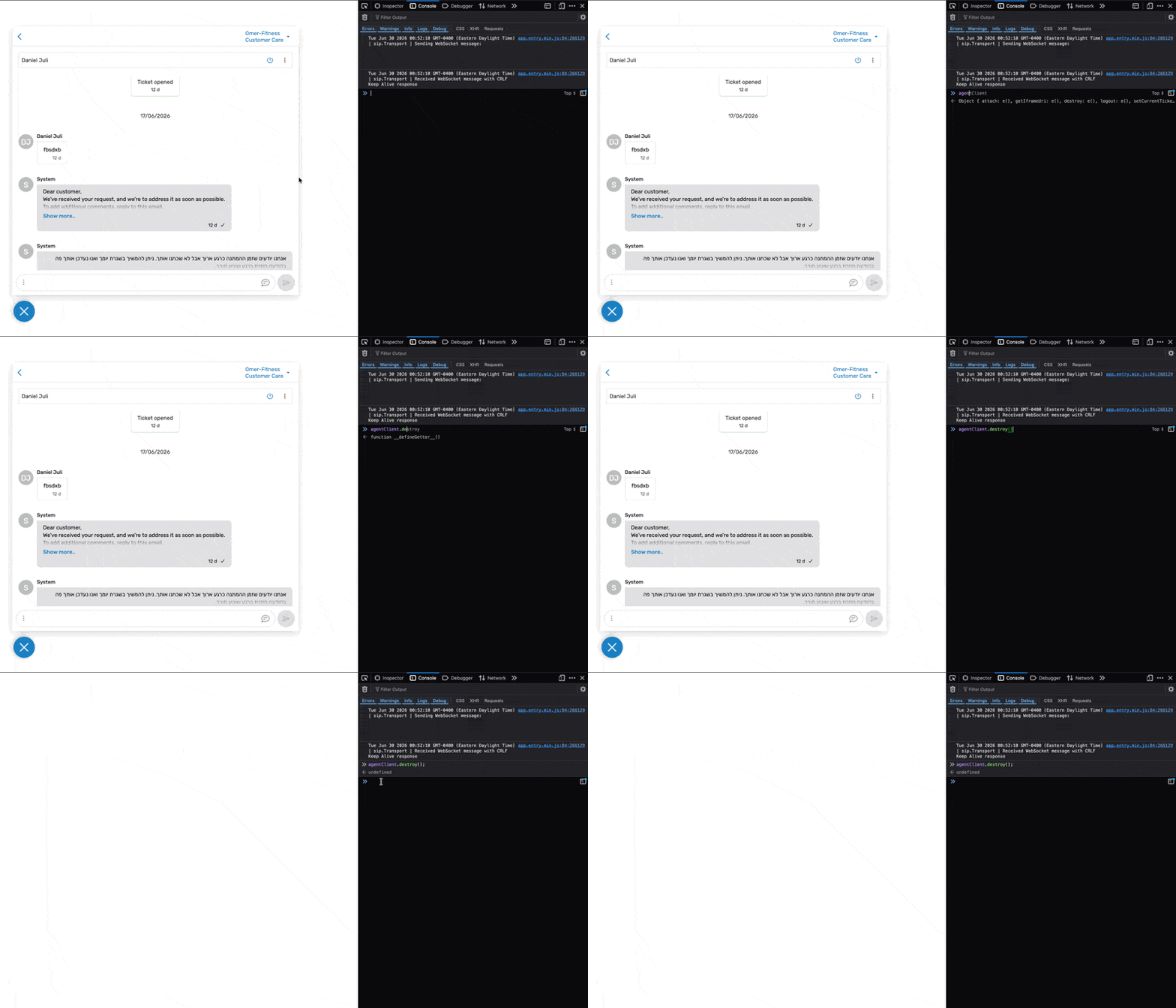
Removes the widget instance from both the DOM and memory.
agentClient.destroy();A common use case is destroying the widget when an agent signs out of your internal system, and reinitializing it with a new userName one when a different agent signs in. See Customizing the Username in the Installation guide.
attach
Attaches the widget to the DOM. This method is called automatically after the script is loaded; you do not need to call it explicitly unless you are manually reinitializing the widget after a destroy() call.
agentClient.attach();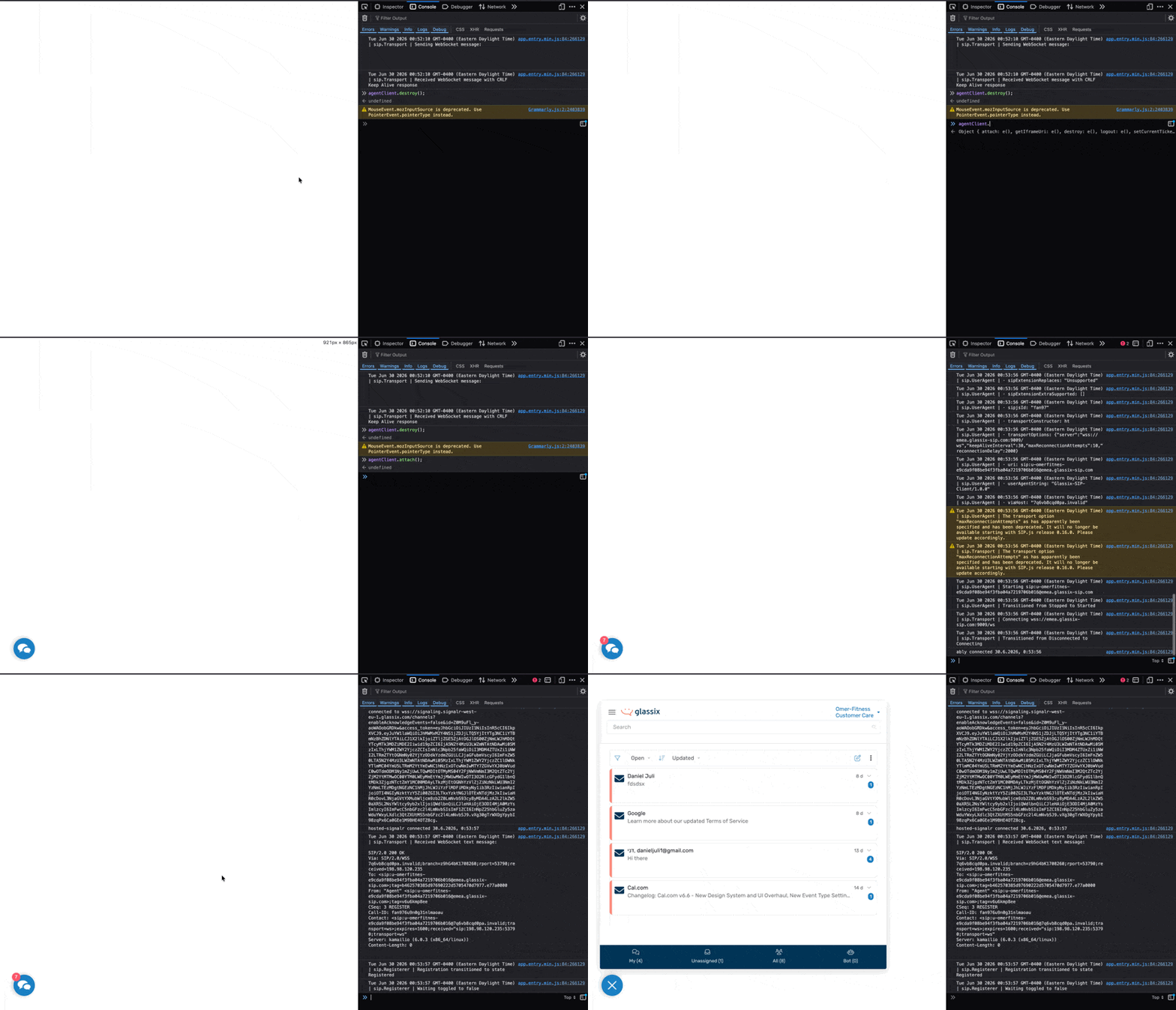
logout
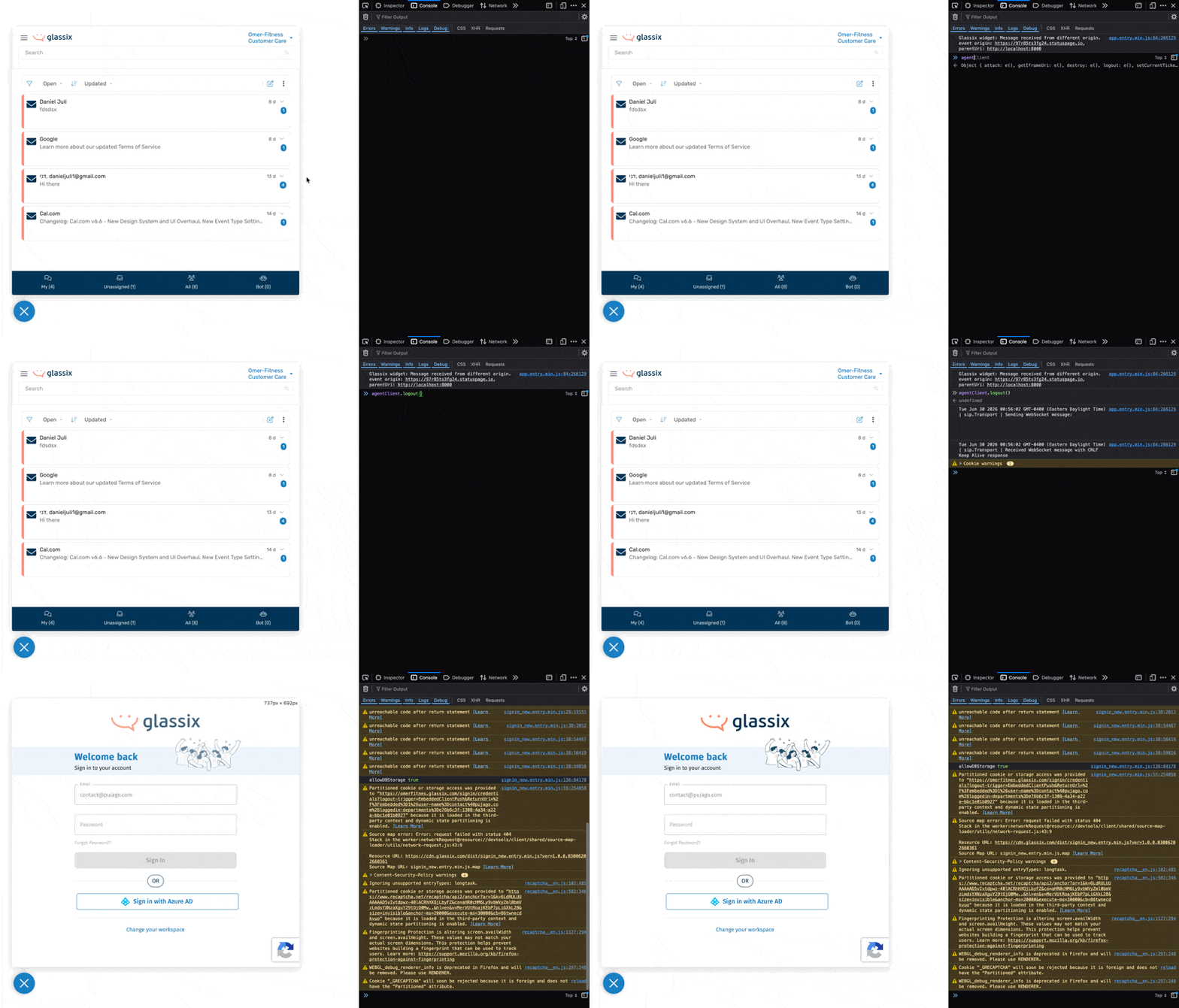
Logs the currently signed-in agent out of the widget.
agentClient.logout();A common use case is calling this method when an agent logs out of your internal system, so the widget's session stays in sync with your application's authentication state.
setCurrentTicket
Sets the currently active ticket in the widget, identified by the ticket ID and department ID.
agentClient.setCurrentTicket(ticketId, departmentId);| Parameter | Type | Description |
|---|---|---|
ticketId | string | The ID of the ticket to open in the widget. |
departmentId | string | The ID of the department the ticket belongs to. |
This is useful if you want to deep-link an agent directly into a specific conversation, for example, opening the widget already focused on a ticket referenced elsewhere in your internal tools.
Example: opening the widget on the ticket, an agent clicked in your own admin tool:
document.getElementById("open-in-glassix").addEventListener("click", function () {
  agentClient.setCurrentTicket("your-ticket-id", "your-department-id");
});