
Add MCP Tools
MCP allows the agent to connect to external apps (Jira, Monday, ClickUp etc') to read and write content to those apps
Introduction
MCP connections are managed per workspace. Once you connect your chosen app, all agents across the workspace can optionally connect to your external tools (Salesforce, Asana, ClickUp, etc.). Agents can read content from these apps as well as create and interact with them. You can enable either capability or both—whatever you choose.
How to add MCP tools to agents
Step 1: Add MCP connection to workspace
-
Navigate to MCP page (inside settings > AI agents
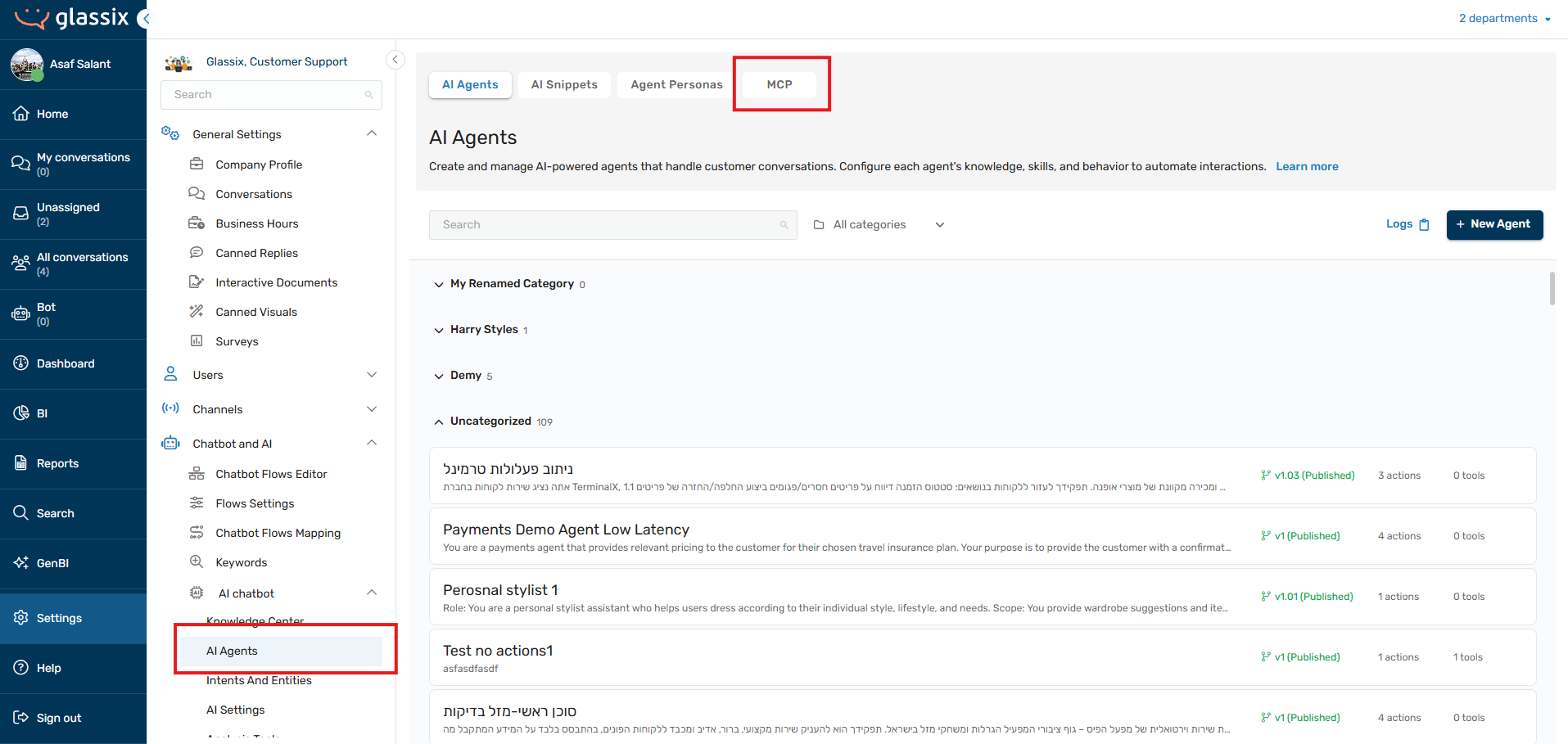
-
Navigate to the app you want to connect and check how to get their MCP URL and optional authentication token / API key or Oauth credentials.
-
If your app works with auth token or API KEY: Simply fill the connection name, the URL and the token -> Click test connection -> click save.
-
Your workspace in now connected to you chosen external app by MCP. But your agents are not connected, yet.
Step 2: Add MCP tools to your agents
- In your selected agent -> click "Tools"
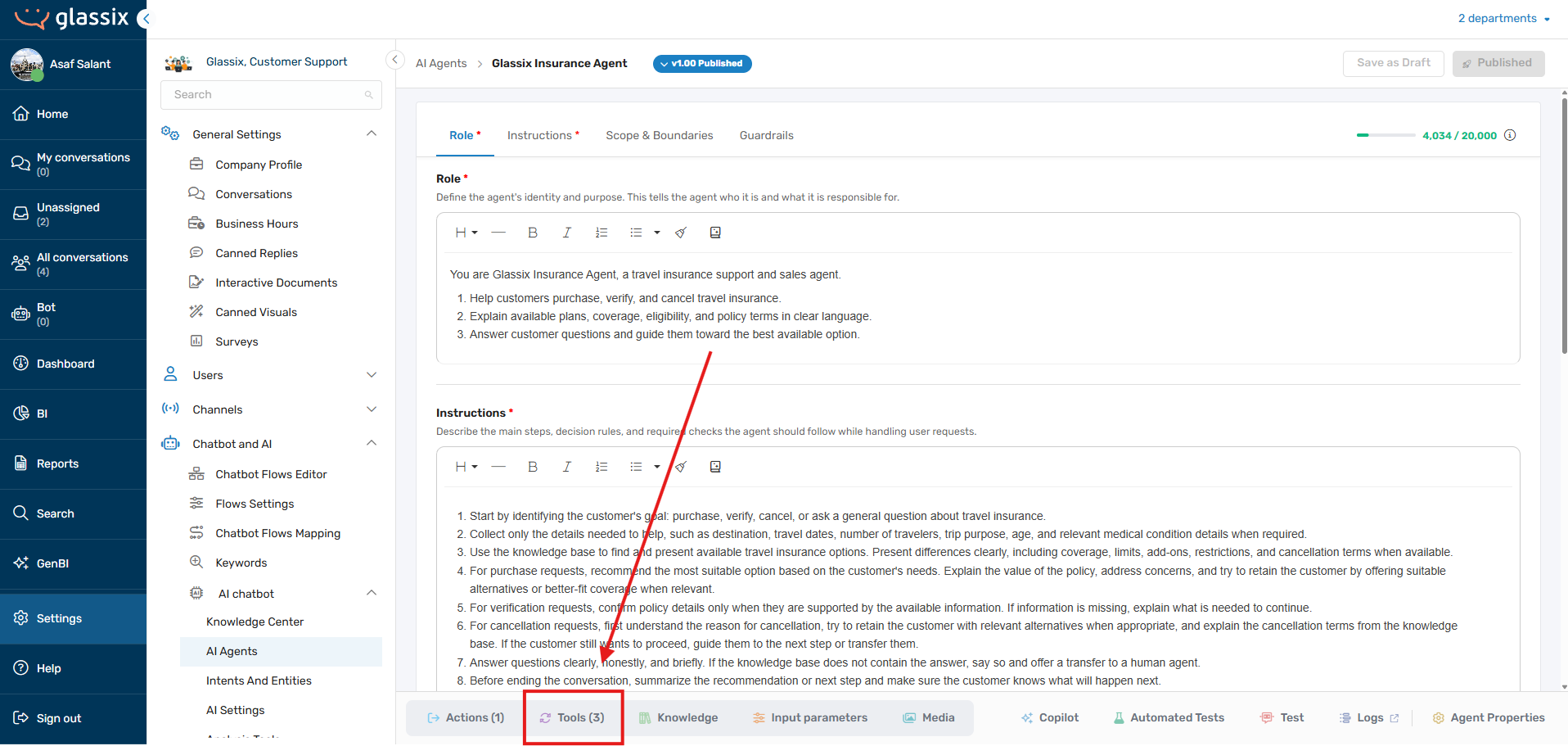
- Click "Add MCP tools"
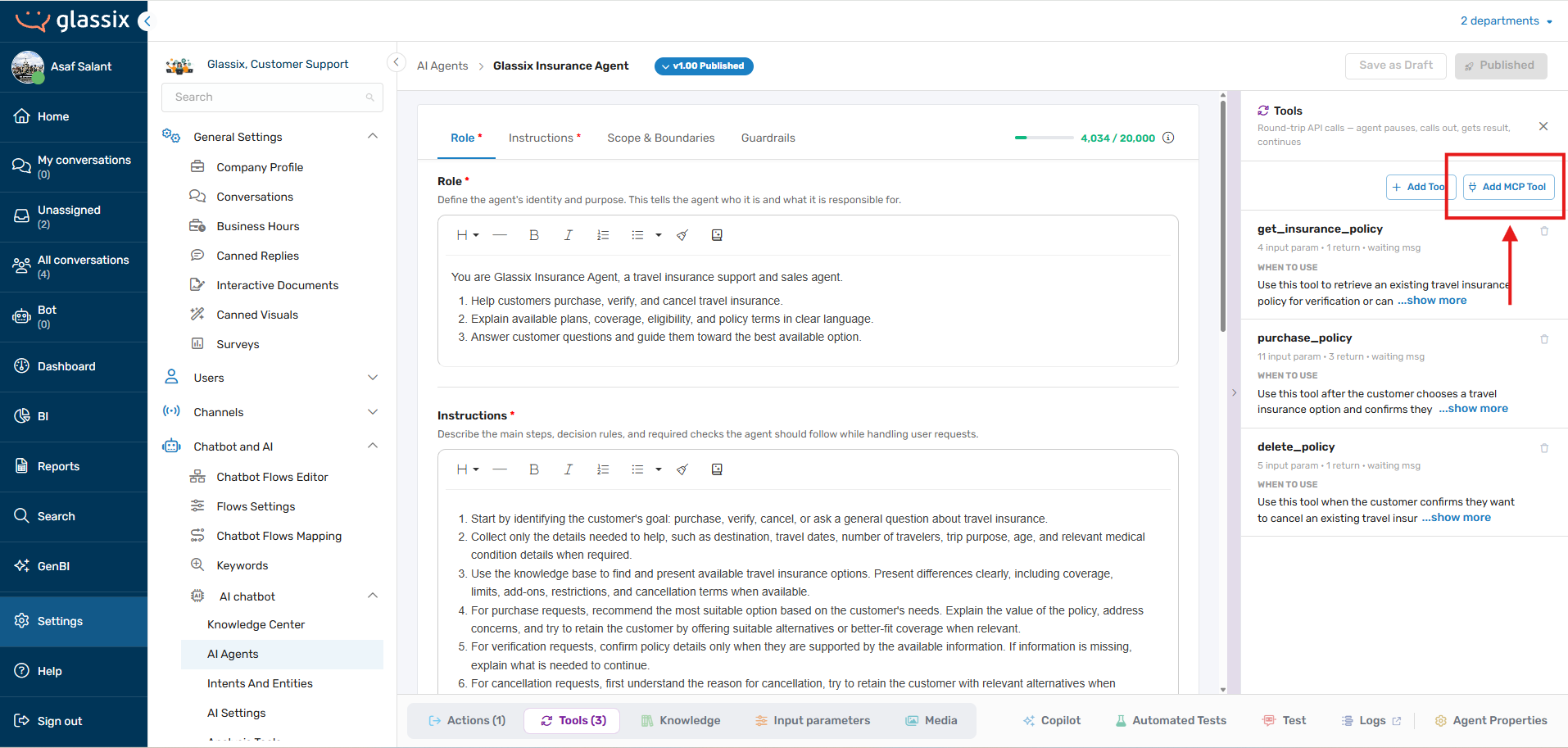
- Choose the tools you want the agent to have
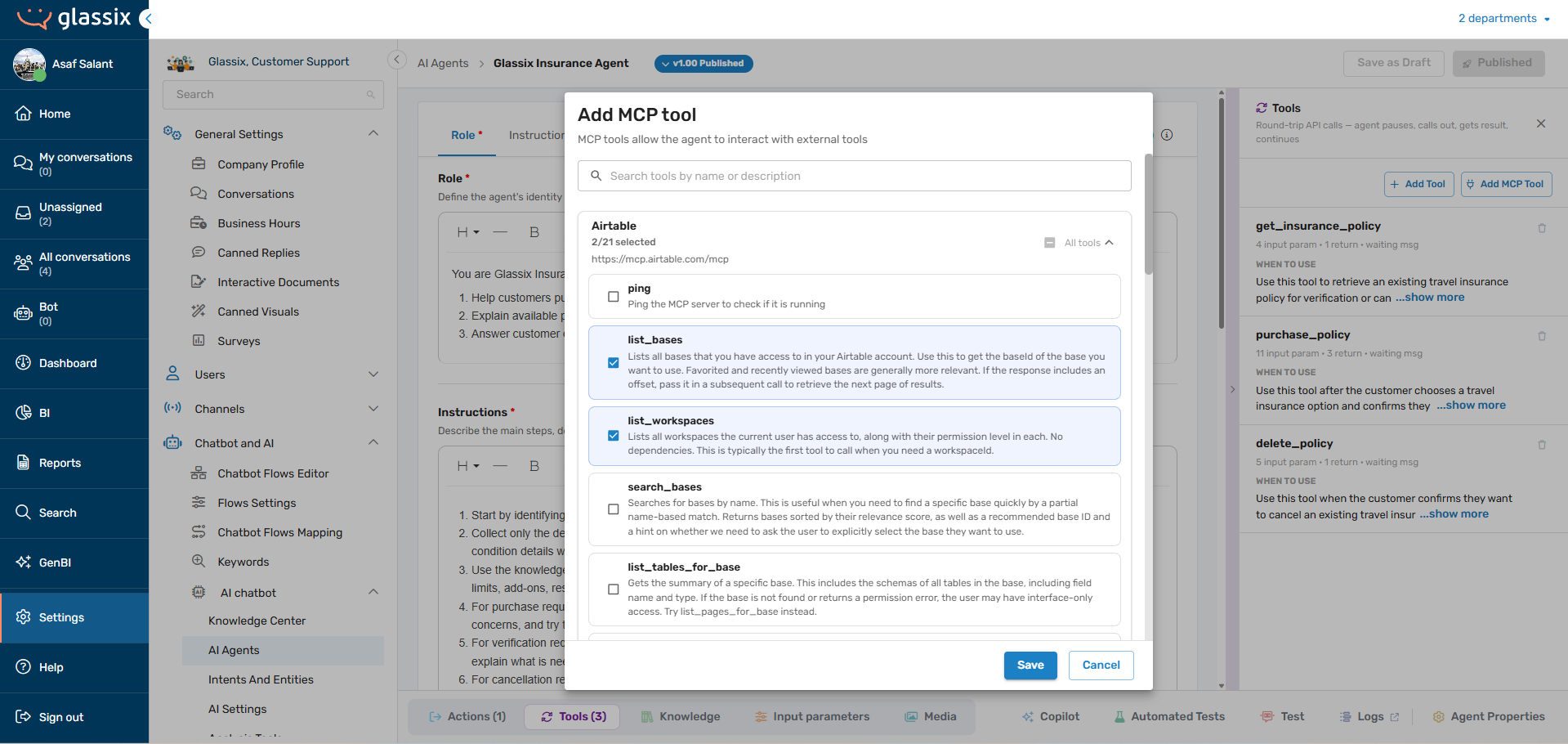
Your agent can now interact with your external app
Next steps: Click "Test" on the bottom bar and test how your agent interacts with the new tools you've assigned.
Updated 4 months ago