
Add Salesforce MCP
Salesforce can be connected through "Oauth" flow, here's a guide how to connect Salesforce to Glassix AI agents
Step 1: Enable MCP server in Salesforce
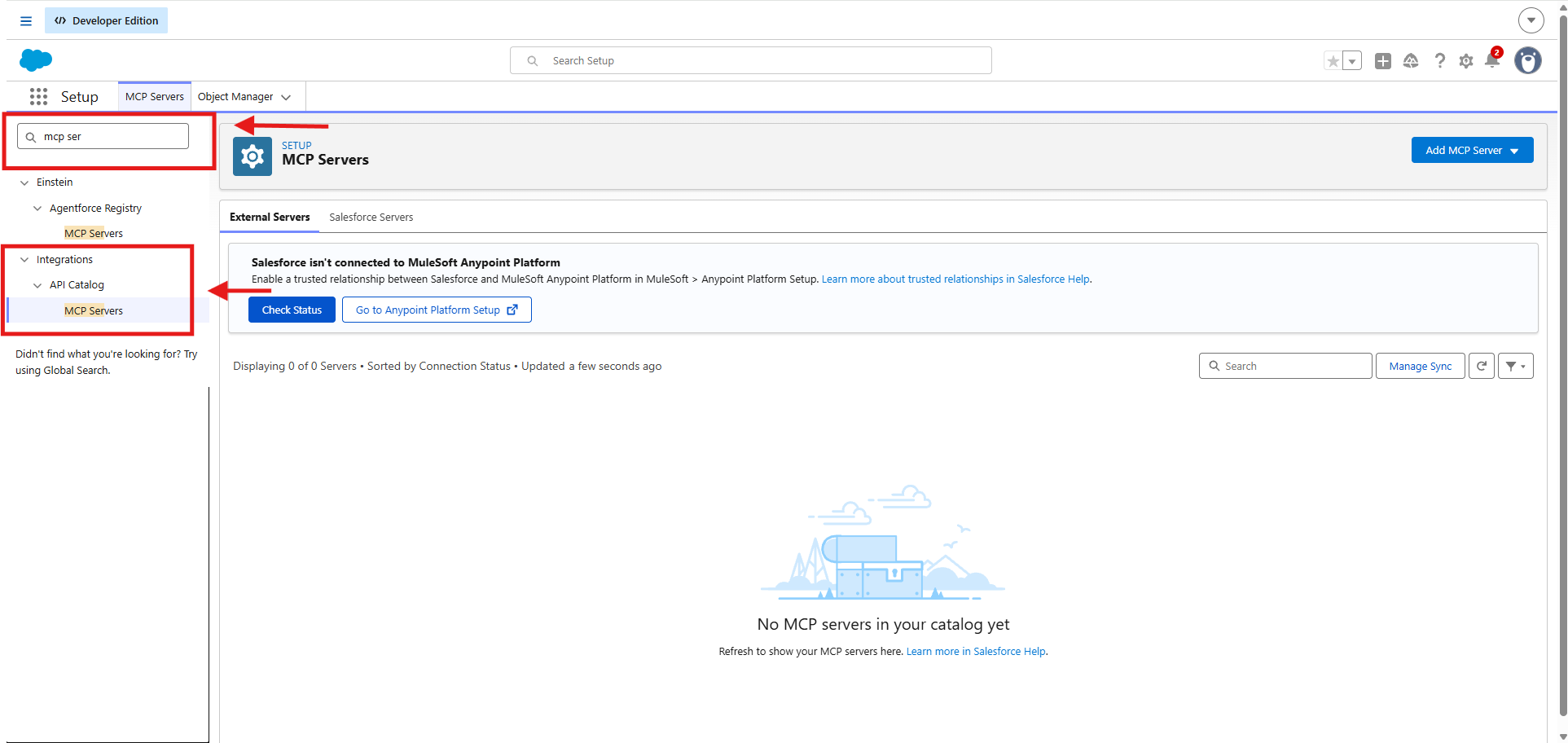
- Then click "Salesforce Servers" -> "Sobjects-all"
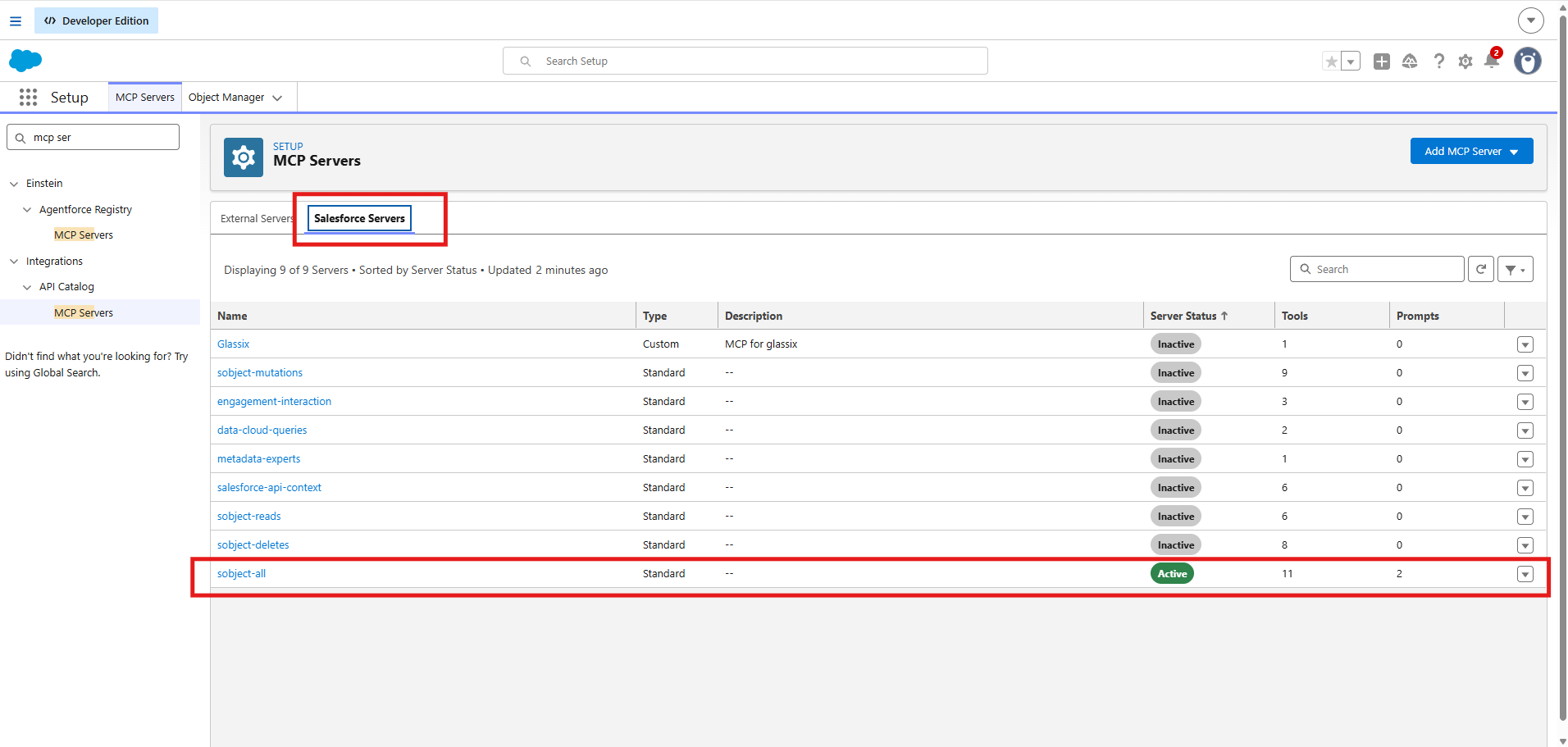
- Activate the server
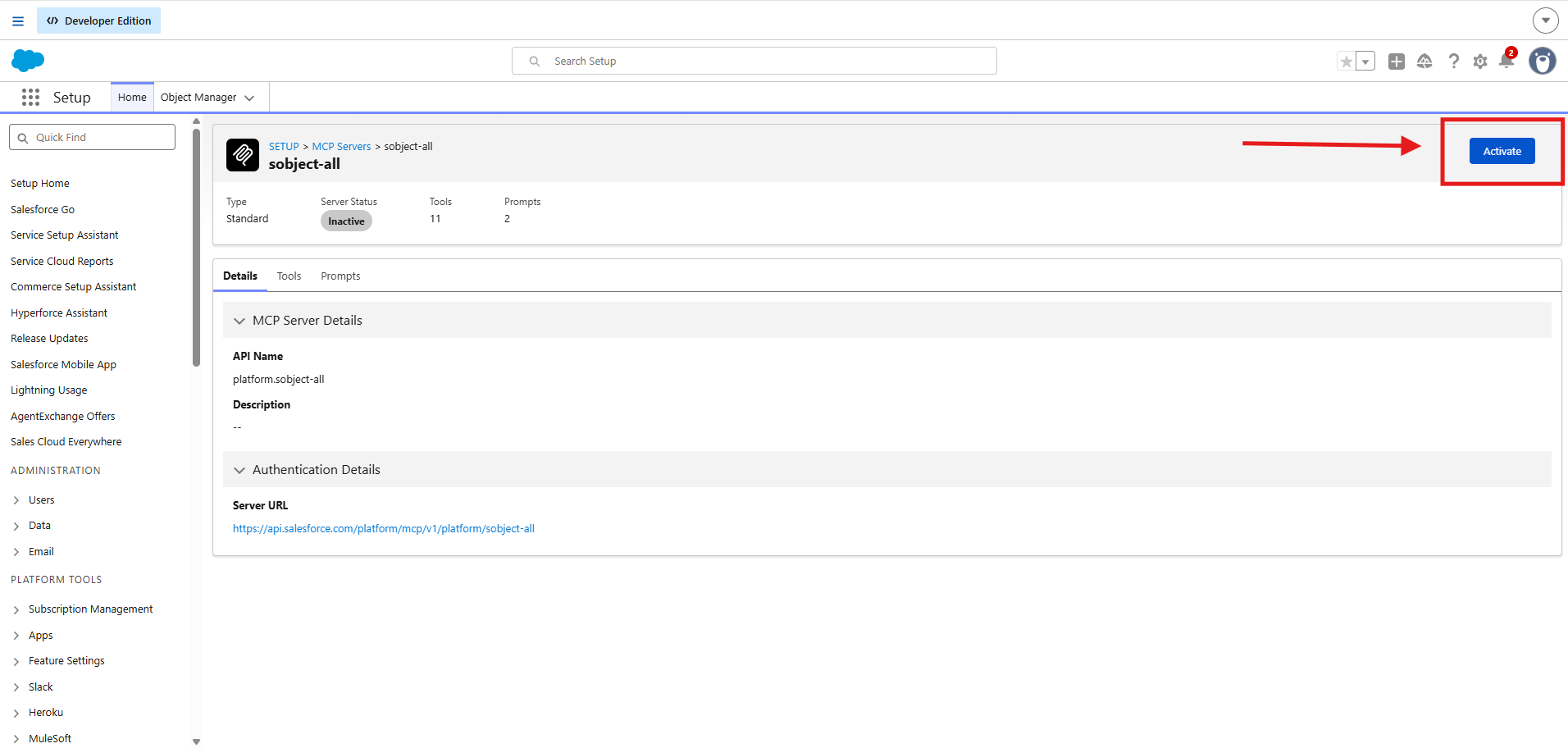
Step 2: Create external app in Salesforce
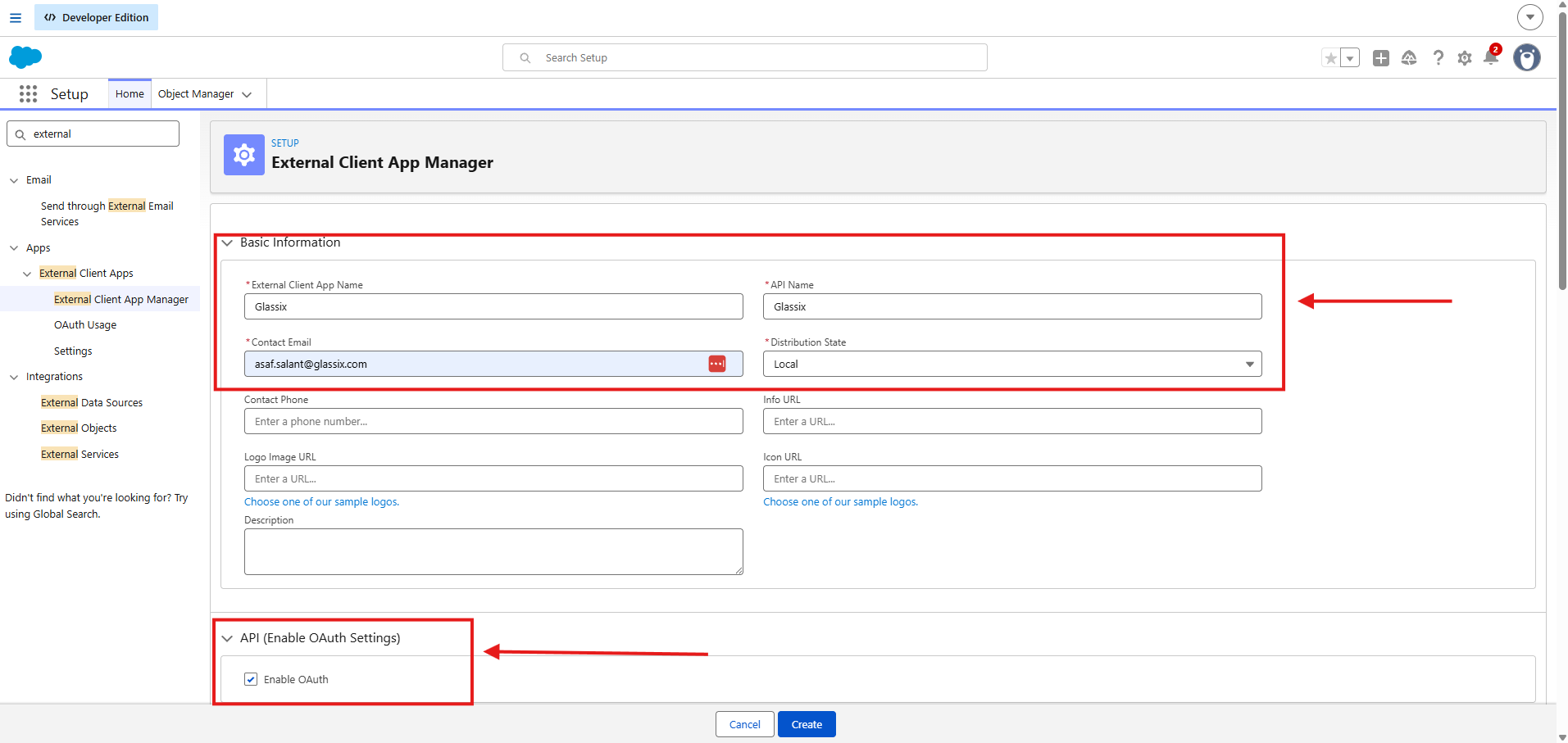
- In Salesforce "Setup" -> search for "External Client App Manager" -> and click "New External Client App"
- Fill in the mandatory fields
- Enable API OAuth checkbox
"Contact Email" InputEnter an email address you can access quickly — Salesforce will send a verification email to it shortly.
Step 3: New MCP connection in Glassix
Note: for more info about Salesforce MCP configs - click here
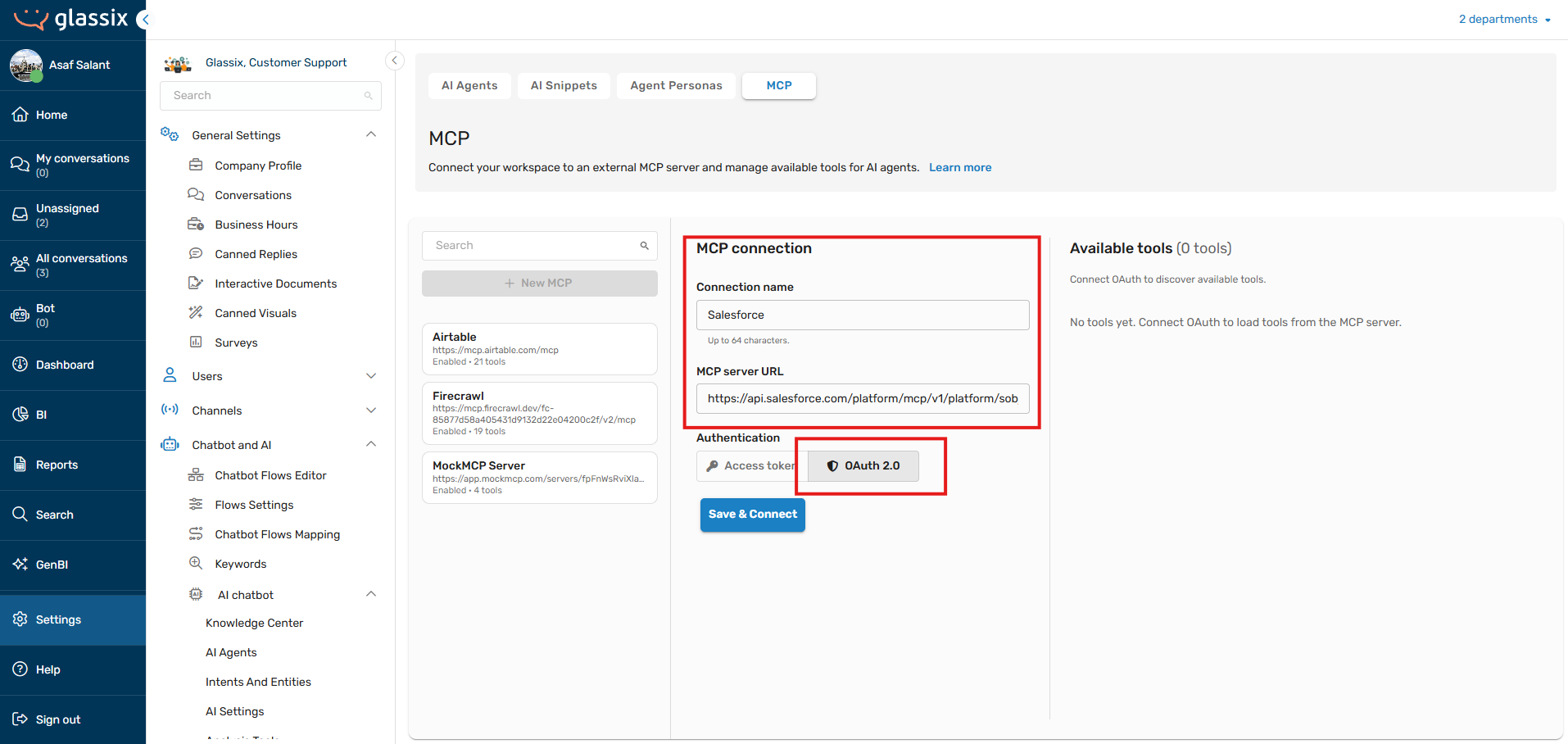
- Navigate to Glassix settings -> AI agents -> MCP
- Copy the MCP URL of the server you activated in Step 1.
The URL depends on the type of Salesforce org you are connecting to:
| Org type | MCP URL |
|---|---|
| Production, Developer, Enterprise, Professional | https://api.salesforce.com/platform/mcp/v1/platform/sobject-all |
| Sandbox or Scratch org | https://api.salesforce.com/platform/mcp/v1/sandbox/platform/sobject-all |
Important: the URL must match your org type. If you connect to a Sandbox org but use the production URL (without /sandbox/), Salesforce will reject every request with the error JWT Token is required, and the agent will run without any Salesforce tools.
/sandbox/), Salesforce will reject every request with the error JWT Token is required, and the agent will run without any Salesforce tools.- The server name at the end of the URL must be the same server you activated in Step 1. If you activated a different server (for example
sobject-readsinstead ofsobject-all), use that name in the URL. For a custom server, use/custom/your-server-name(or/sandbox/custom/your-server-namefor a Sandbox). - Now fill the inputs and paste the MCP URL -> click OAuth 2.0 -> click "Save & Connect"
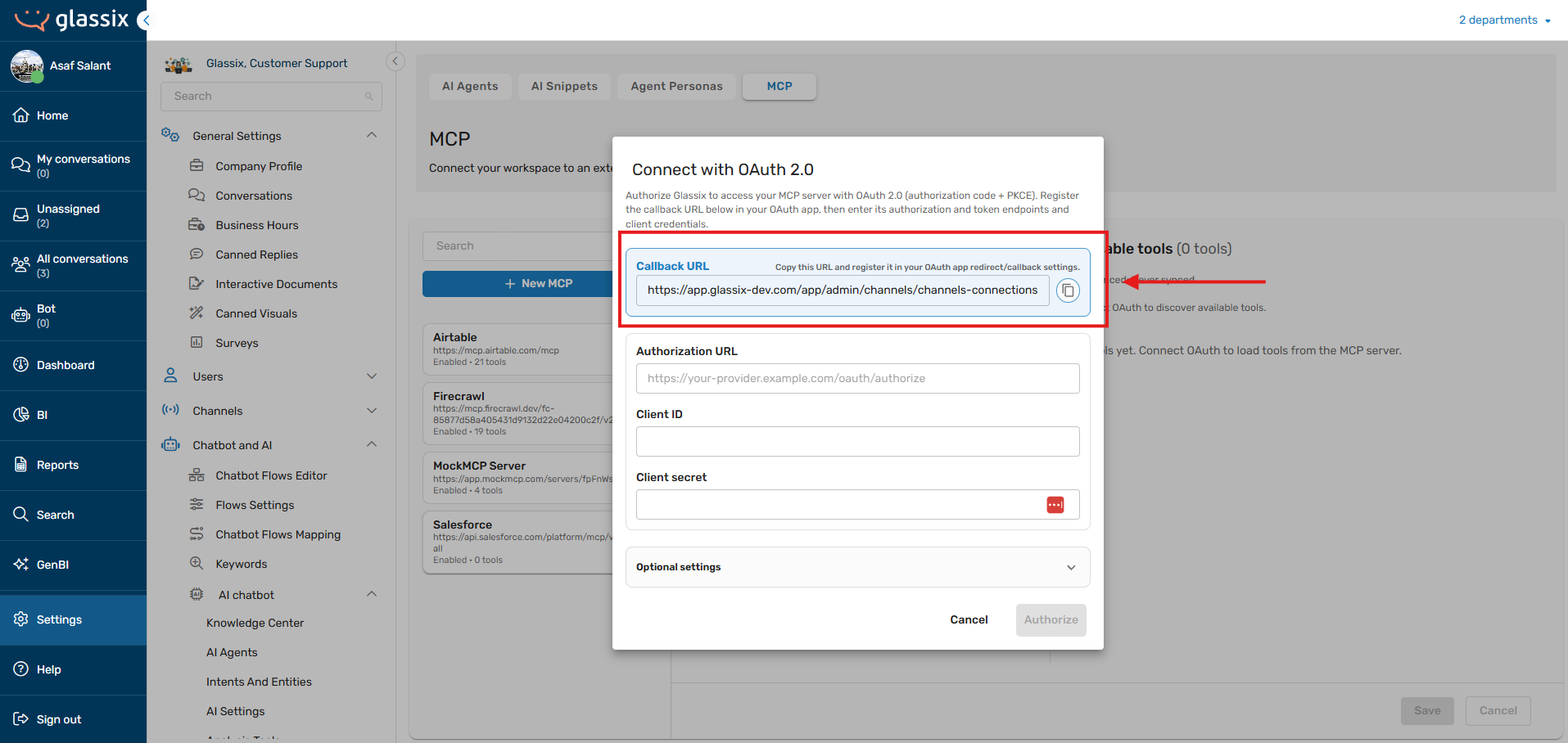
- Copy the "Callback URL"
Step 4: Connecting Salesforce & Glassix
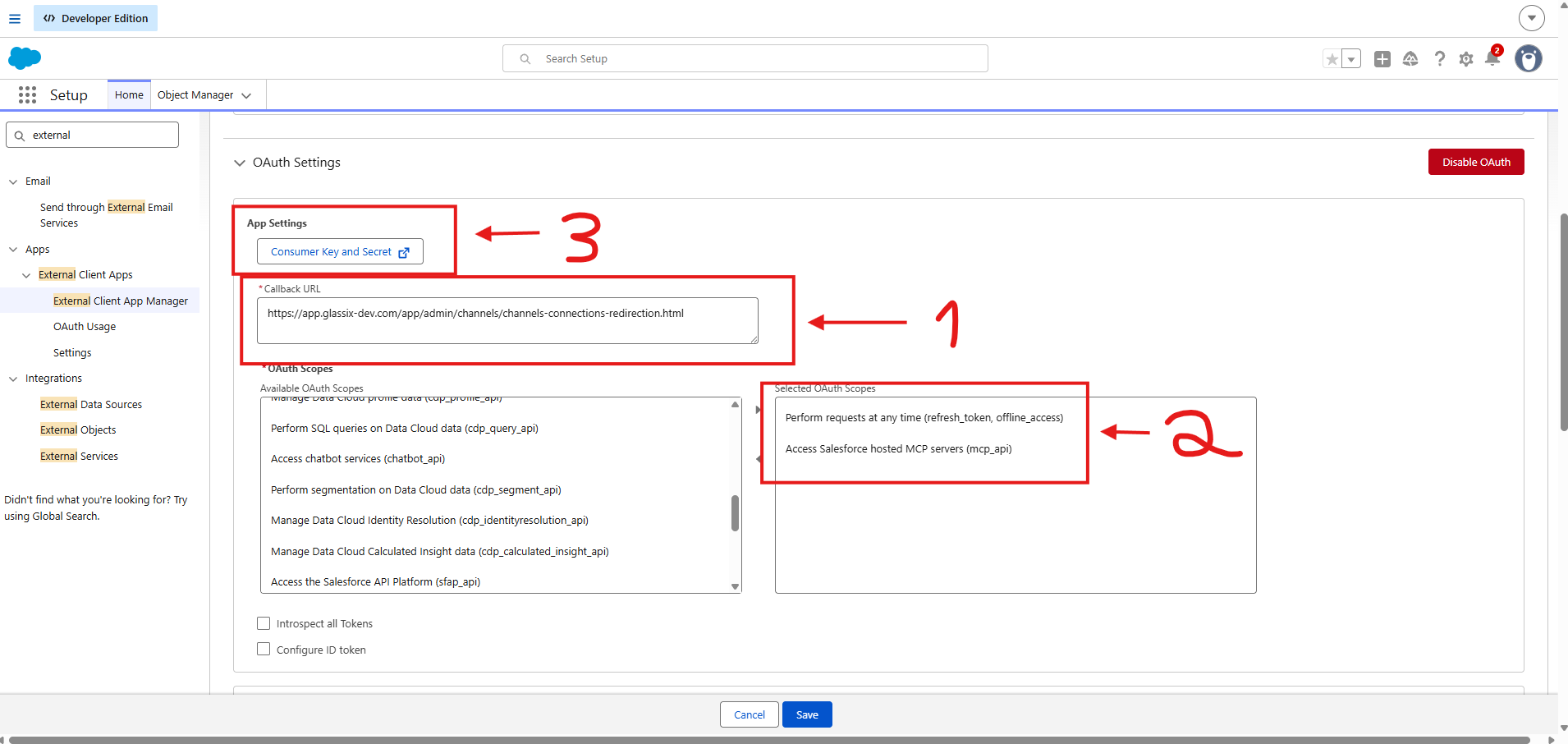
- In Salesforce: Paste the callback URL (1)
- Add scopes: refresh token + mcp_api (2)
- Copy credentials:: Click "Consumer Key and Secret" (3).
Salesforce will send you a validation email -> after validation -> copy the ClientID + client secret (paste it in Glassix later)
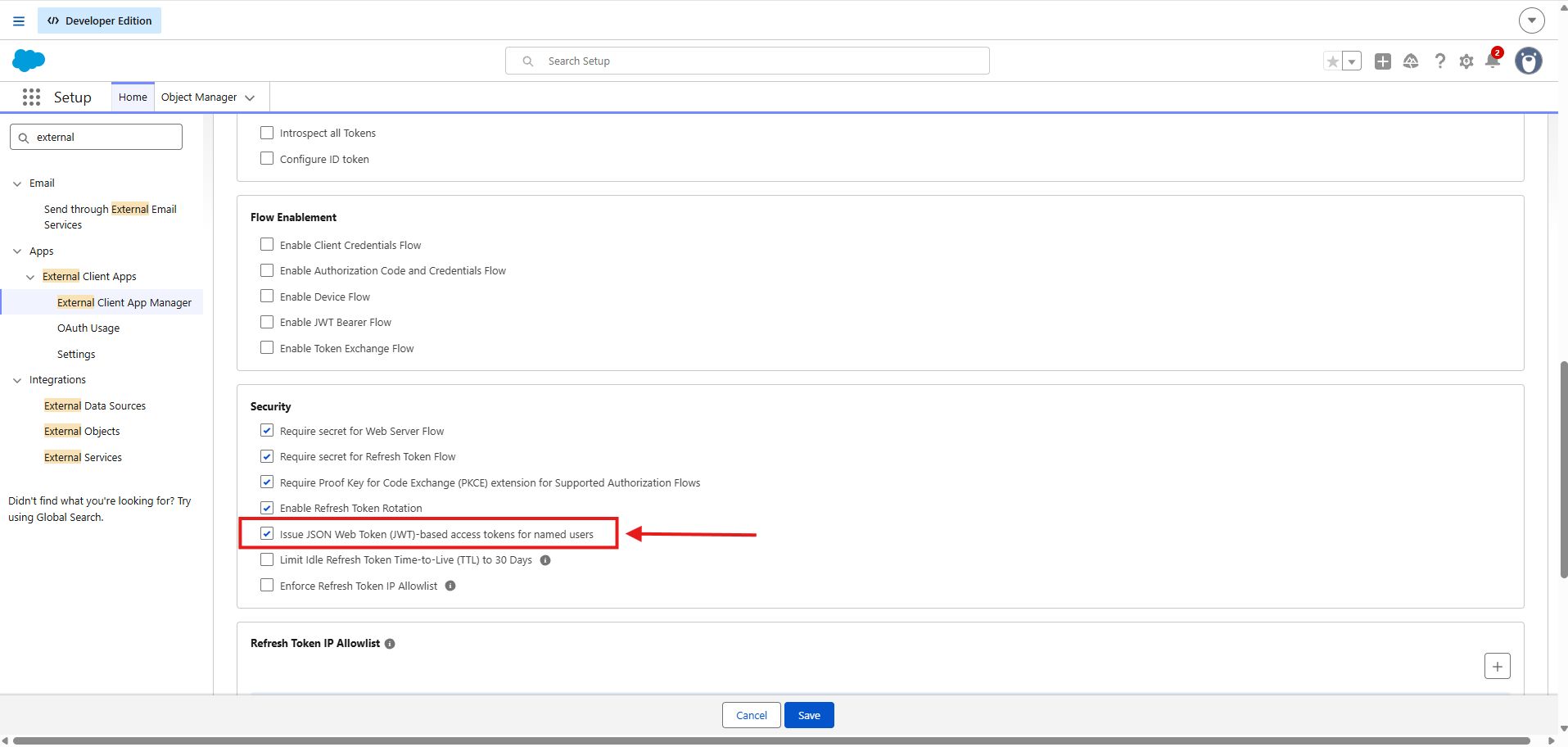
- Enable this checkbox under "Security"
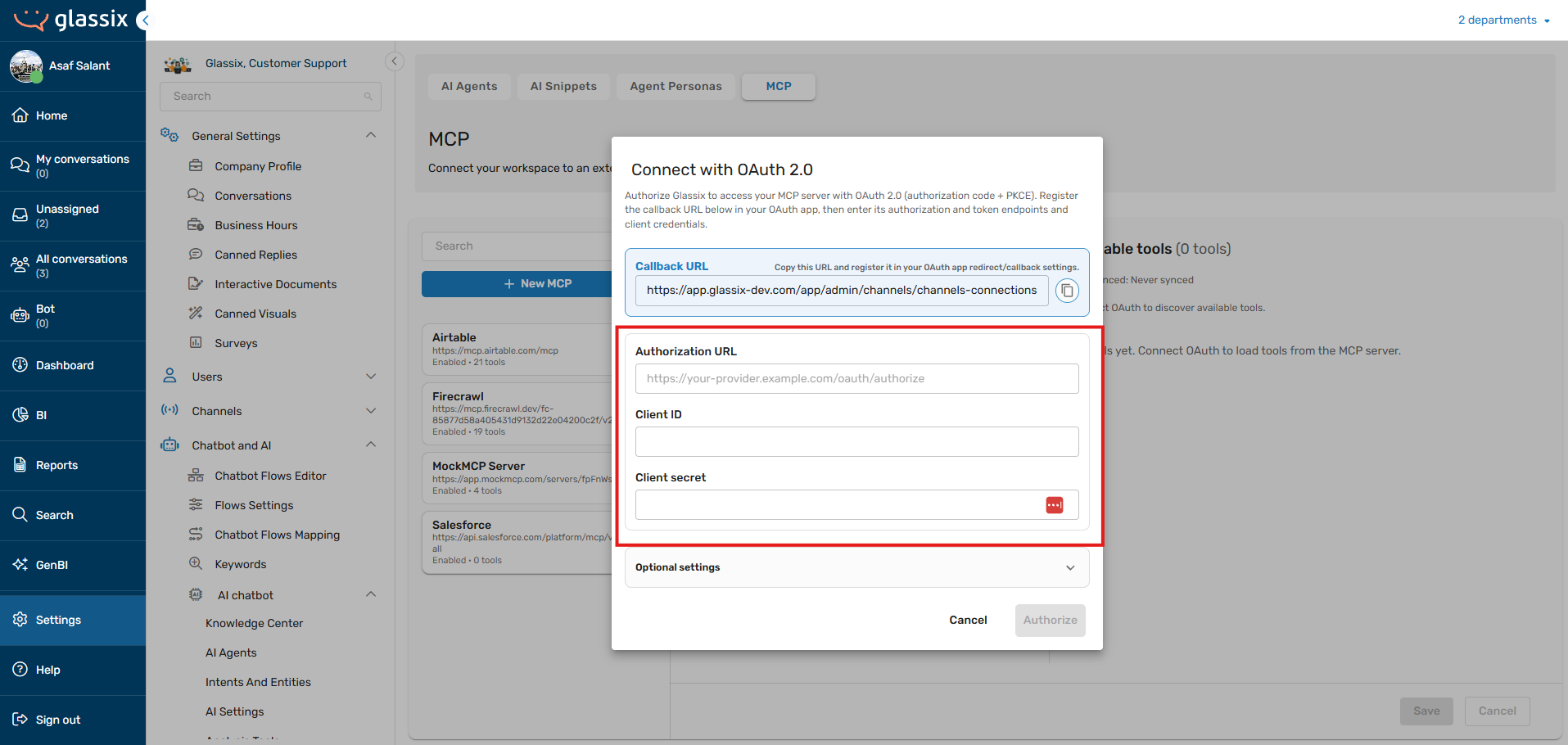
- Then back in Glassix paste the
Client IDandclient secretand copy your Salesforce hostname such as: https://orgfarm-xxxxxxxxx-dev-ed.develop.my.salesforce.com/ - Click "Authorize"
You are now connected to Salesforce via MCP
Next steps: Navigate to a chosen agent and checkout how to add MCP tools.
Updated 2 months ago
Did this page help you?