
Voice AI agents checklist
Tips for building effective voice-based agentic flows
Overview
While voice-based agents can perform all the same tasks as text-based agents, they and their flows need to be set up differently to account for the unique requirements of spoken conversation. In addition to the normal requirements of an AI-powered flow, voice-based agents and their flows also need to account for things like message length and response time.
In this article, we'll cover our recommended best practices for making sure your voice-based agents sound natural and respond to your customers effectively.
Checklist
-
Start your flow with a non-AI intro message
Since responses generated by your AI agents are different each time, there's no way to cache them for quick loads. This means that if an AI Agent step is the first step in your flow, it will take an extra second or two for your voice agent to start speaking. These few seconds of silence at the beginning of the call can make it seem to your customers as if nobody has picked up.
To avoid this, simply start your conversation with a message step or an open question data entry step. Non-AI steps are always cached for future conversations, making them that much quicker to load. -
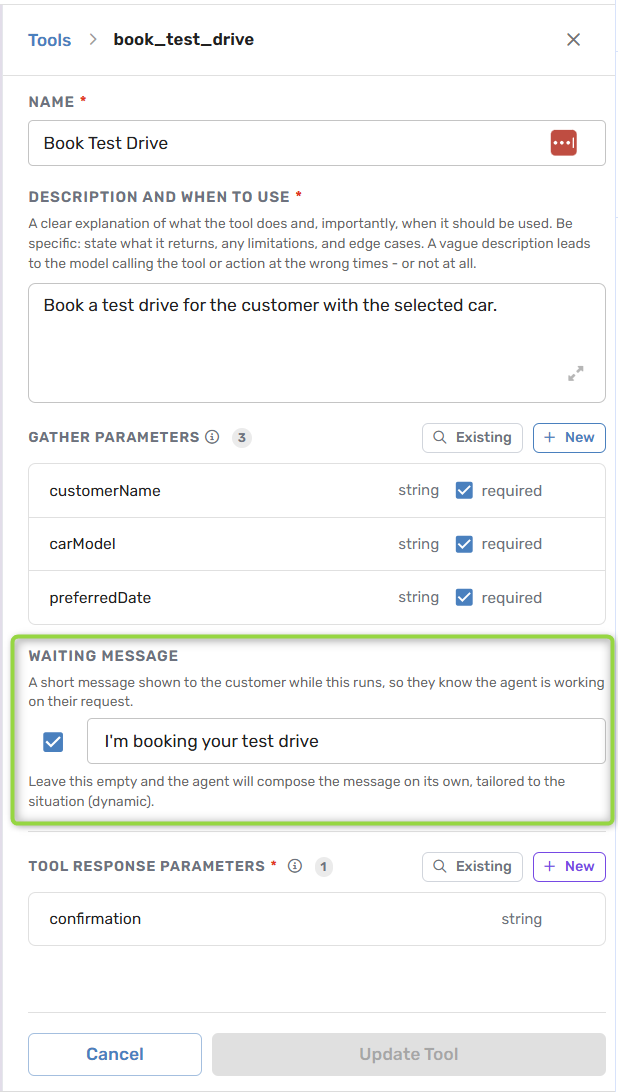
Waiting message before AI agent tool calls
While your customers will generally be willing to wait a few seconds for each next message in a web or WhatsApp chat, they will be much less likely to appreciate a few seconds of silence between each message in a conversation over the phone. Functions
and API calls can often take a second or two to return results. It's important to make sure there's a message directly before these longer operations in your flow to ensure your voice-based agent has something to read while the operation is completed.
-
Fast LLM for voice agents
The metric you care about is time to first sentence - when the LLM finishes responding with the first sentence, then we can't start generating the speech (TTS). Typical time to first sentence is 1.2 seconds.
With our Gemma 4 31B turbo - the first sentence is returned withing ~400ms.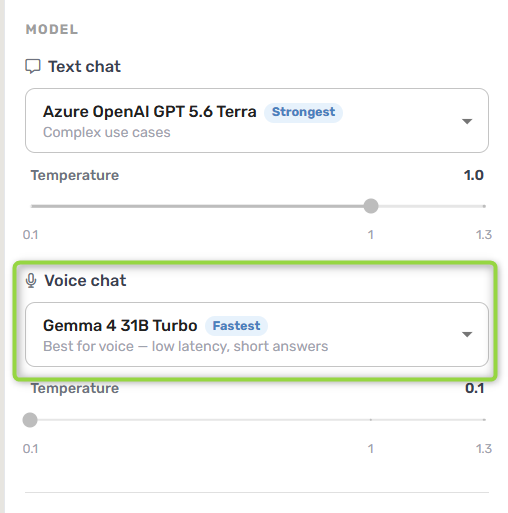
-
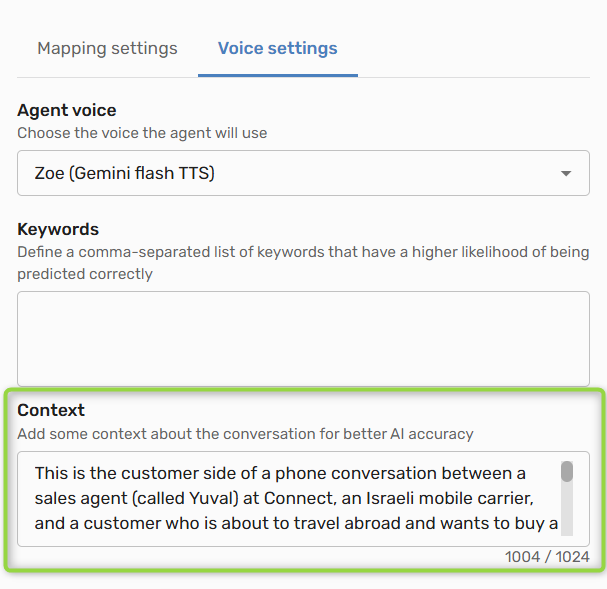
Speech-to-Text context
Speech-to-Text context lets you improve the transcription accuracy.
Context helps the model understand your domain, recognize important terms, and apply custom vocabulary.
Think of it as giving the model your world — what the conversation is about, which words are important, and how certain terms should be translated.
Best Practices
When building an agent for your voice channel, keep the following tips in mind for the best customer experience:
-
Keep messages as short as possible: Voice-based agents speak at a consistent speed, regardless of how much they have to say. In order to keep your agent feeling responsive, we recommend keeping its messages as short as possible. This helps keep the conversation moving, and prevents customers from becoming frustrated with long waiting times.
Any AI agents you add to your flows will automatically try to use shorter sentences when in a voice call. Make sure not to provide them with any instructions in their prompt which could cause them to use long, flowing sentences.
-
Only enable Knowledge Center access for AI agents when absolutely necessary: Searching a knowledge base is an inherently high-latency operation. When an AI agent chooses to access the Knowledge Center, this operation will add at least 1.5 seconds to the time it takes to respond.
Even a second of silence on a phone call can be disruptive, so consider providing information to your AI agents via input parameters or in their prompts rather than relying on the Knowledge Center.
-
Always ask one question at a time: It's much more difficult to remember a string of questions than it is to read through a list of questions. To make sure your customers have an easy time providing the information you're looking for, make sure to only ask one question at a time. Consider using a separate data entry step for each question you want to ask.
Any AI agents you add to your flows will automatically ask one question at a time when in a voice call. Make sure not to provide them with any instructions in their prompt which could cause them to ask multiple questions at a time.
-
Confirm collected information for your customers: Unlike a text chat, where your customers can see the information they input, phone conversations can often leave your customers unsure if their information was recorded properly.
Make sure your voice-based agent confirms the information it received at least once to your customers, similar to how you would read back an email address over the phone to make sure you took it down correctly.
-
Tell AI agents what to do when they're interrupted: Whenever an AI agent is interrupted by a customer during a voice call, we automatically send
was_last_message_interrupted = Trueto the agent as an input parameter.Use this parameter to tell your agent what to do when it's interrupted.
Updated 2 months ago