
AI Message Translation
Translate inbound and outbound communication into your agents' native languages.
Info:AI message translation requires AI features to be enabled for your department. If you don't see the AI menu option in your settings menu, reach out to your implementation partner or Glassix contact to request access.
AI message translation processing consumes additional AI resources and may increase usage costs.
Overview
AI message translation allows you and your team to communicate with your customers in languages you don't speak, while continuing to communicate in your native languages without any additional processing:
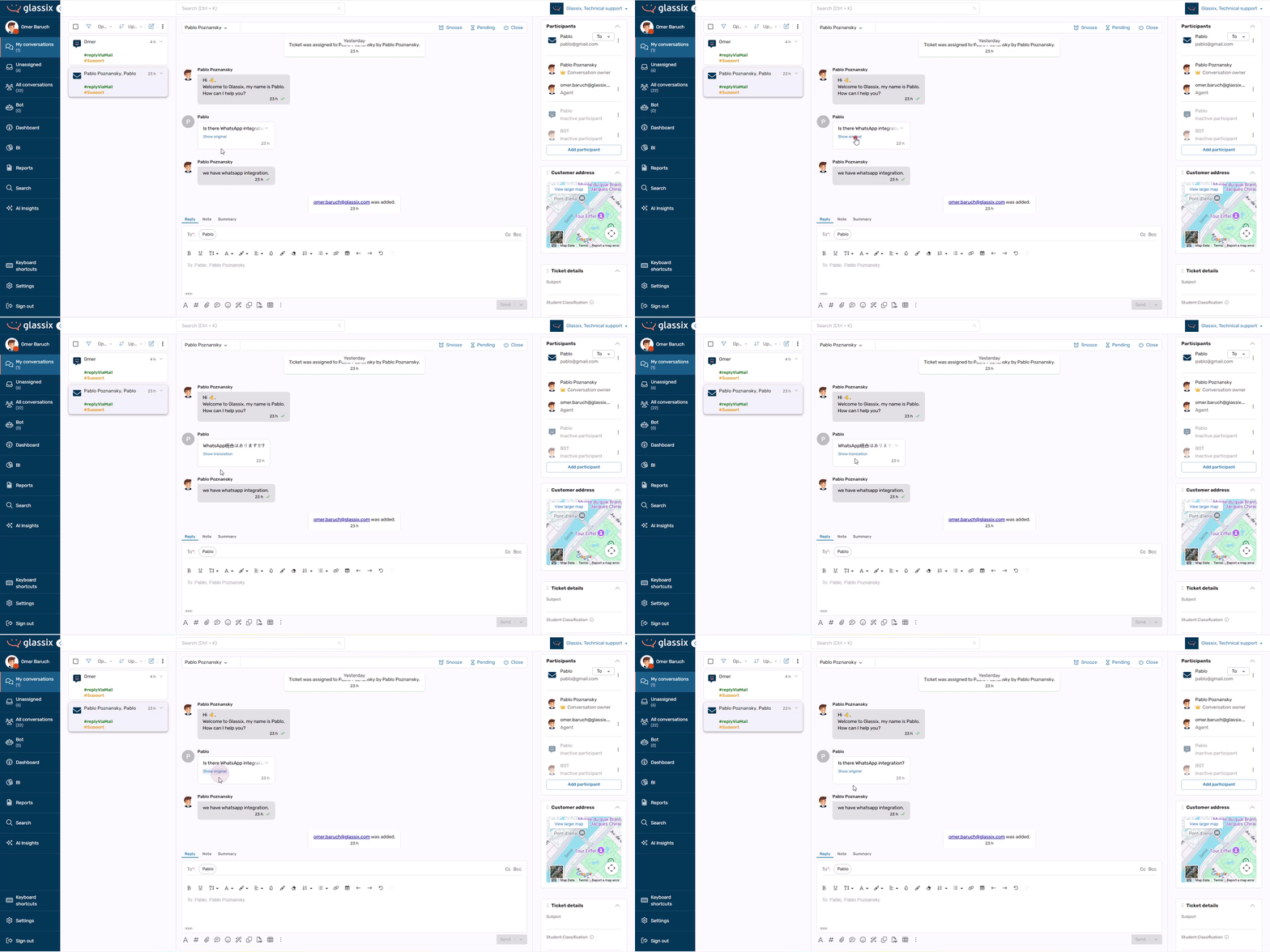
The translated text will be shown to agents by default, with the original available to view at any time.
With AI message translation enabled, each agent will have the option to define the languages they know. Any inbound communication not in one of these languages will automatically be detected and translated for the agent.
Similarly, the customer's communication language is detected automatically by our translation AI. Any outbound communication from agents to customers who are not speaking one of the agent's languages is also translated automatically, such that the customer only receives communication in their native language.
Activating AI Message Translation
AI message translation must be activated by your implementation partner or Glassix contact. Please reach out to your relevant point of contact if you would like this feature enabled for your workspace.
Configuring Languages You Know
Languages You Know are those languages your agents speak fluently, and for which they will not require translation.
We recognize that teams are often multi-lingual and that each agent will have different translation requirements. Therefore, Languages You Know are configured per-agent.
Adding Your Languages
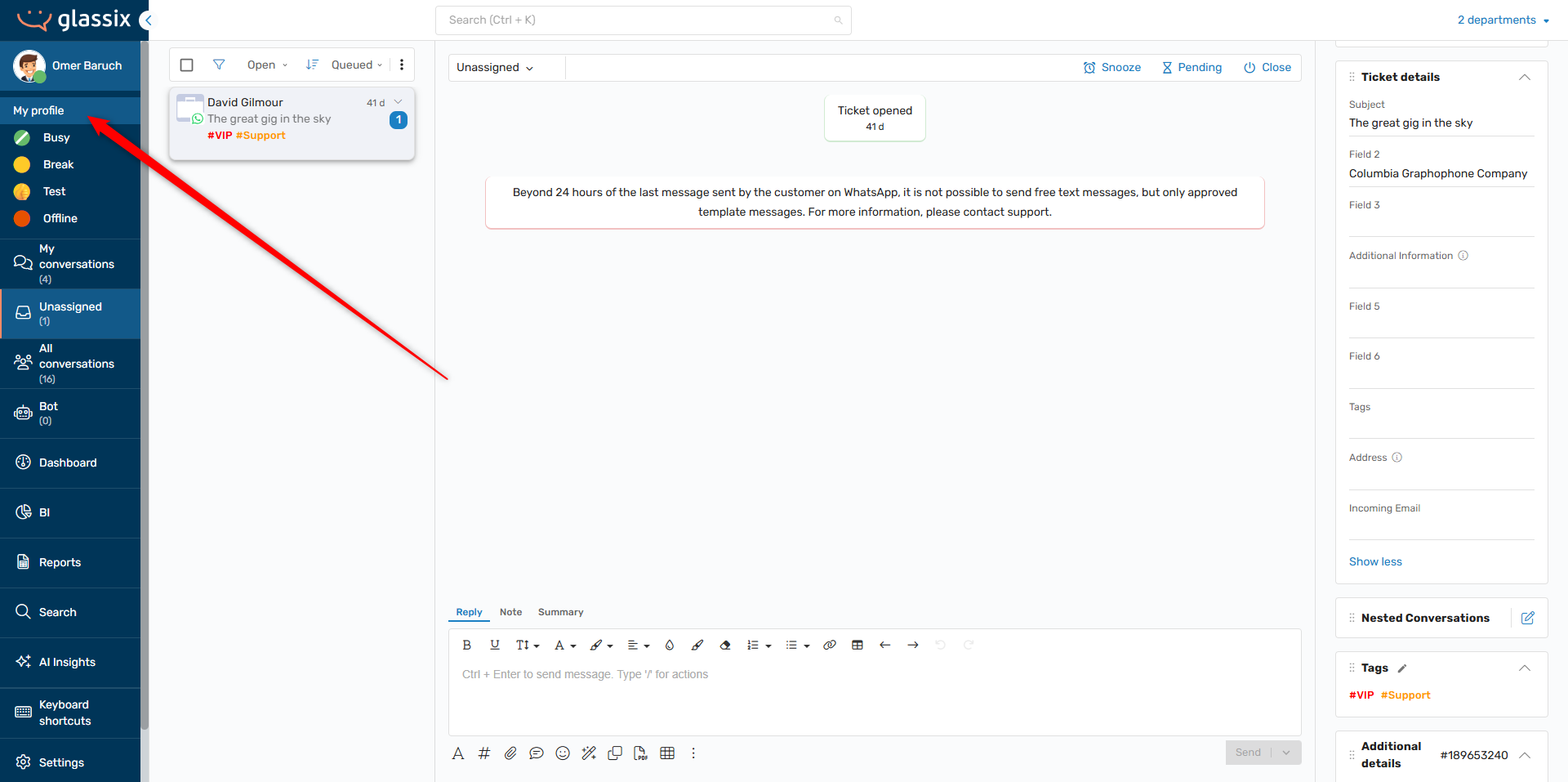
To edit your Languages You Know settings, click on your profile picture, then navigate to My Profile:
In the modal, select Display. Under Languages you know, enter all languages you speak fluently and would not like translated. This field is searchable, and you can select as many languages as you speak:
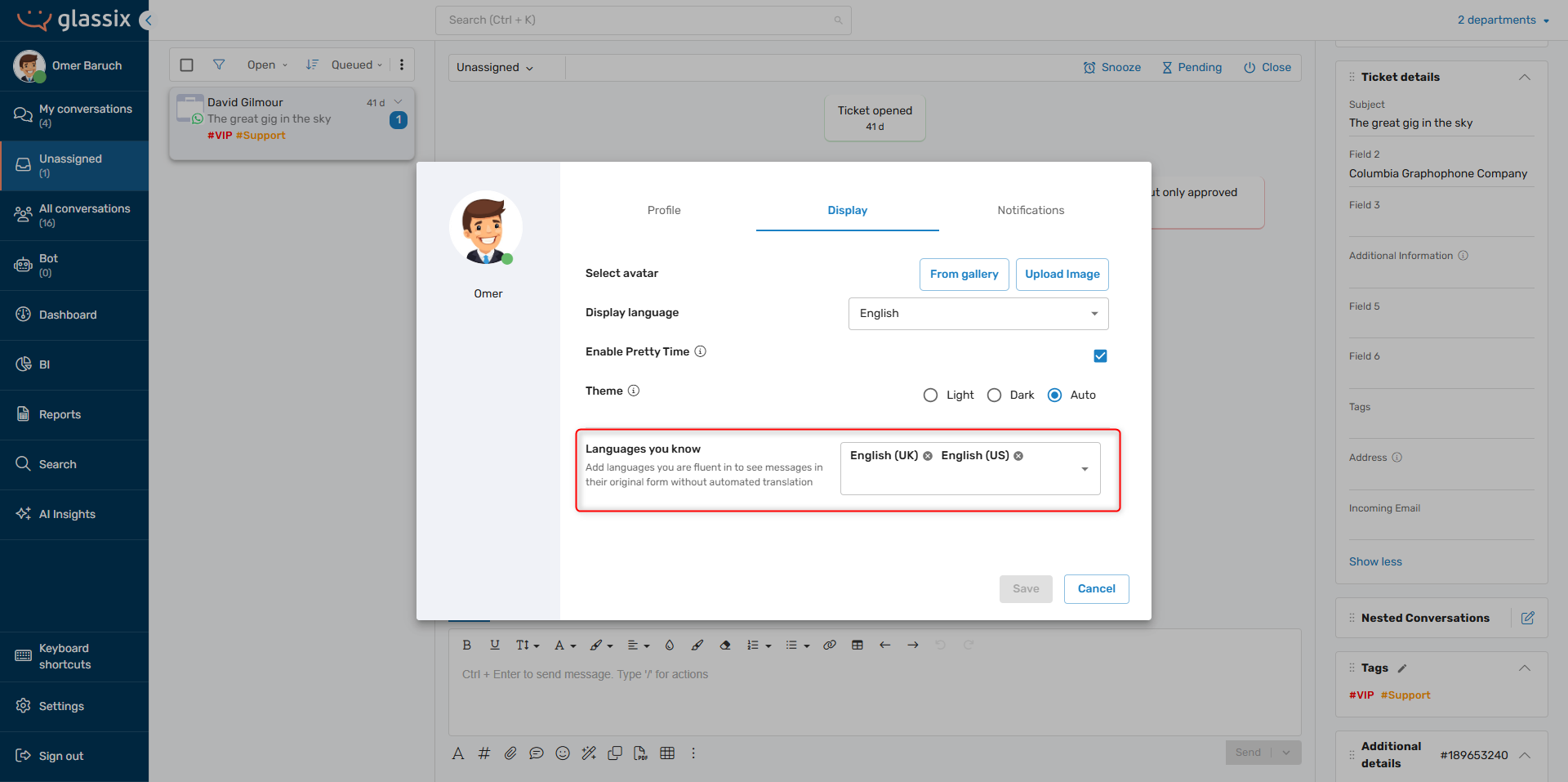
Remember to save your changes.
Updated 9 months ago